These are the learning apps and websites we’ve used in our homeschool, sorted by subject: reading, spelling and math practice, Christian audio, safe videos, and a few tools that keep me organized. Each card says what it costs, so you can filter for the free ones.
In this video I share five apps that are actually working in our homeschool right now and how we use each one. For even more, watch 10 must-have homeschool apps we use every week.
A quick note before you download: Apps are tools, not a replacement for teaching. Most of these work best for practice and review alongside your curriculum, and kids learn the most when we stay involved. Prices and features change often, so check the current details before you sign up.
Disclosure: Some of the links on this page are affiliate links, which means I may earn a small commission if you make a purchase through them, at no extra cost to you. I only recommend resources I’ve personally used and trust.
Library last updated October 19, 2026
Each pick is marked Faith-based (made from a Christian perspective) or Not faith-based.
Learning to Read
Rating coming soon
Reading.com
Suggested ages: Preschool · Elementary
Not faith-based
Scripted, phonics-based reading lessons you do together with your child, about 15 to 20 minutes a day, from letter sounds to blending and reading. In the readers, the picture stays hidden until your child reads the words.
Helps with: blending, letter sounds, phonics
Katie’s notes
My absolute favorite reading app, and I have tried a lot. It is made for parent and child to do together, and that interaction is where I saw real growth. It is completely scripted, so there is no prep. We used it alongside our curriculum about three times a week.
Visit Reading.com (Reading.com) (opens in a new tab)Watch my video about Reading.com (opens in a new tab)
Rating coming soon
Teach Your Monster to Read
Suggested ages: Preschool · Elementary
Not faith-based
Three reading games in one, from the Usborne Foundation, that take kids from letter sounds to blends to reading words. Free to play on the website; the app is a one-time purchase.
Helps with: early reading, letter sounds, phonics
Katie’s notes
A fun supplement to whatever reading curriculum you use (it is not meant to be a full curriculum). I like the app because there are no pop-ups or stray websites, and I could not find a limit on how many kids can use it, which is great for big families.
Visit Teach Your Monster (Teach Your Monster to Read) (opens in a new tab)Watch my video about Teach Your Monster to Read (opens in a new tab)
Rating coming soon
Nessy
Suggested ages: Elementary · Upper elementary · Middle school
Not faith-based
Reading, writing, spelling and typing programs you buy one subject at a time, with an online placement check and printables. Nessy also has helpful trainings and resources for parents on dyslexia and dysgraphia.
Helps with: dyslexia, reading, spelling, typing
Katie’s notes
Great for most kids, and my older kids could not game their way through it. It adds up because it is priced per subject and per child, so look at the bundles or wait for their Black Friday sale. It was not the right fit for my oldest, whose needs are more complex.
Visit Nessy (Nessy) (opens in a new tab)Watch my video about Nessy (opens in a new tab)
Books, Audiobooks & Podcasts

Rating coming soon
WindowSeat
Suggested ages: Preschool · Elementary · Upper elementary · Middle school
Faith-based
Christian audio for kids: Bible stories, audio dramas like Your Story Hour and Paws & Tales, audiobooks such as Christian Heroes: Then & Now, Seeds Kids Worship music and bedtime stories. Download for offline listening and set a sleep timer.
Helps with: audiobooks, Christian audio dramas, Scripture songs
Katie’s notes
My younger kids' top pick right now. We pair the Your Story Hour dramas and the Heroes biographies with our history, use the Seeds songs for Bible memory, and it is perfect for independent time while I work with a sibling, at lunch or in the car.
Visit WindowSeat (WindowSeat) (opens in a new tab)Watch my video about WindowSeat (opens in a new tab)

Rating coming soon
Audible
Suggested ages: Elementary · Upper elementary · Middle school · High school
Not faith-based
Amazon’s audiobook app. You do not need a membership to use it: many children’s classics cost very little to buy, and members get monthly credits for longer books and series.
Helps with: audiobooks, classic literature
Katie’s notes
My husband and I use the membership credits for longer books, but for the kids we buy cheap or free classics without a subscription.
Visit Audible (Audible) (opens in a new tab)Watch my video about Audible (opens in a new tab)
Rating coming soon
Apple Podcasts (or any podcast app)
Suggested ages: Elementary · Upper elementary · Middle school · High school
Not faith-based
Free podcasts for kids on science, history and more, ready for car rides, chores and quiet time.
Helps with: family listening, history, science
Katie’s notes
One of my favorite free apps. My kids are constantly listening to podcasts.
Visit our favorite family podcasts (Apple Podcasts (or any podcast app)) (opens in a new tab)Watch my video about Apple Podcasts (or any podcast app) (opens in a new tab)
Spelling & Word Work

Rating coming soon
Spell It
Suggested ages: Elementary · Upper elementary · Middle school
Not faith-based
Type or paste in any spelling list from the curriculum you already use, label it by lesson, then practice with quizzes and games like word searches, crosswords, scrambles and missing letters.
Helps with: spelling lists, spelling tests, word games
Katie’s notes
Our replacement for Spelling City. My kids take one spelling quiz in the app every day, and then they can play one of the fun games. It works with All About Spelling, CLE or whatever you use.
Visit Spell It (Spell It) (opens in a new tab)Watch my video about Spell It (opens in a new tab)
Rating coming soon
All About Learning Letter Tiles
Suggested ages: Elementary · Upper elementary
Not faith-based
A digital version of the letter tiles from All About Reading and All About Spelling. Choose your level and lesson and it shows only the tiles and syllable tags taught so far. It works even if you do not use those programs.
Helps with: phonograms, spelling, syllables
Katie’s notes
We use it almost every day for building words, spelling and marking syllables, at the table, on our Cozyla calendar and in waiting rooms. My kids play with it on their own after lessons, too.
Visit All About Learning (All About Learning Letter Tiles) (opens in a new tab)Watch my video about All About Learning Letter Tiles (opens in a new tab)
Math Facts & Practice
Rating coming soon
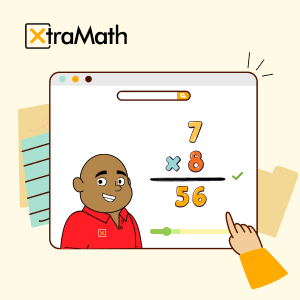
XtraMath
Suggested ages: Elementary · Upper elementary
Not faith-based
Quick daily practice for addition, subtraction, multiplication and division facts. Kids aim to answer each fact correctly within three seconds and collect smiley faces.
Helps with: addition, division, multiplication, subtraction
Katie’s notes
Not a curriculum, just math fact practice. My kids do five minutes after their math lesson. They love the challenge without the stress of a timed test.
Visit XtraMath (XtraMath) (opens in a new tab)Watch my video about XtraMath (opens in a new tab)
Rating coming soon
Mental Math Cards
Suggested ages: Elementary · Upper elementary · Middle school · High school
Not faith-based
Math fact practice you can fine-tune: pick the operation and even the kinds of facts. It covers kindergarten all the way up to ACT and SAT prep questions.
Helps with: math facts, mental math, test prep
Katie’s notes
The first math facts app I found that spans kindergarten to high school, and it is easy to adjust what each child practices. Just five minutes a day reinforces their math curriculum.
Visit the App Store (Mental Math Cards) (opens in a new tab)Watch my video about Mental Math Cards (opens in a new tab)
All-in-One Practice

Rating coming soon
IXL
Suggested ages: Elementary · Upper elementary · Middle school · High school
Not faith-based
Skill practice in math, language arts, science and social studies. Built-in assessments find strengths and gaps and recommend practice, or parents can assign specific skills.
Helps with: language arts, math, skill gaps
Katie’s notes
We use just math and language arts, 10 to 15 minutes a day. I got it for my daughter with special needs: it meets her where she is without feeling babyish, it works on the go at doctor visits, and it is fairly affordable to add more kids.
Visit IXL (IXL) (opens in a new tab)Watch my video about IXL (opens in a new tab)
Rating coming soon
Khan Academy Kids
Suggested ages: Preschool · Elementary
Not faith-based
A free, ad-free app for ages 2 to 8 with lessons in reading, math and more, plus books, games and drawing. Khan Academy also offers free printables and Circle Time videos.
Helps with: early math, early reading, social-emotional learning
Katie’s notes
My three younger ones love it. It is fun without being so game-heavy that they spend more time playing than learning. Bonus tip: Duck Duck Moose, now part of Khan Academy, has more free apps for little ones.
Visit Khan Academy Kids (Khan Academy Kids) (opens in a new tab)Watch my video about Khan Academy Kids (opens in a new tab)
Rating coming soon
ABCmouse
Suggested ages: Preschool · Elementary
Not faith-based
A step-by-step learning path for ages 2 to 8 in reading, math, science, social studies, art and more, with printables. Up to three child profiles.
Helps with: early learning, math, reading
Katie’s notes
We only used it for supplement and review. It is very easy to use, but a couple of my kids figured out how to get through the games without learning the material, so sit with them if you use it as a main resource. Watch for deals on a full year.
Visit ABCmouse (ABCmouse) (opens in a new tab)Watch my video about ABCmouse (opens in a new tab)
Geography
Rating coming soon
Seterra
Suggested ages: Elementary · Upper elementary · Middle school · High school
Not faith-based
Free map quiz games for states, capitals, countries and more. Pick a region and whether to use picture supports, then click to find each place on the map.
Helps with: capitals, U.S. states, world maps
Katie’s notes
New to our homeschool during my concussion recovery. My kids started with the U.S. states, and after about a month the amount they have learned is fantastic.
Visit Seterra (Seterra) (opens in a new tab)Watch my video about Seterra (opens in a new tab)
Coding & Art
Rating coming soon
ScratchJr & Scratch
Suggested ages: Elementary · Upper elementary · Middle school
Not faith-based
Free beginning coding: younger kids snap together blocks to make characters move and tell stories in ScratchJr, and older kids can move up to Scratch.
Helps with: beginning coding, logic, storytelling
Katie’s notes
A great free way to start coding skills, since our kids will all deal with coding to some extent as the world becomes more technological.
Visit ScratchJr (ScratchJr & Scratch) (opens in a new tab)Watch my video about ScratchJr & Scratch (opens in a new tab)
Rating coming soon
Sketchbook
Suggested ages: Elementary · Upper elementary · Middle school · High school
Not faith-based
A free drawing and painting app with tools like color blending that you would usually find in more advanced programs.
Helps with: comics, digital art, drawing
Katie’s notes
Probably my kids' favorite free app. They draw what they are learning during read-alouds, and one of my sons is making his own comic book.
Visit Sketchbook (Sketchbook) (opens in a new tab)Watch my video about Sketchbook (opens in a new tab)
Reading Help for Struggling Readers

Rating coming soon
Speechify
Suggested ages: Upper elementary · Middle school · High school
Not faith-based
Reads text aloud, even photos of printed pages, and highlights each word as it reads. The free version has a couple of voices; the paid version adds more natural-sounding ones.
Helps with: dyslexia, reading along, text to speech
Katie’s notes
My teens with dyslexia use it all the time. I have them listen with their ears and follow along with their eyes, which builds stronger connections.
Visit Speechify (Speechify) (opens in a new tab)Watch my video about Speechify (opens in a new tab)
Safe Videos

Rating coming soon
YouTube Kids
Suggested ages: Preschool · Elementary · Upper elementary
Not faith-based
Set it up for “approved content only,” and kids can watch only the videos and channels you add, with no ads.
Helps with: parent-approved videos, subject playlists
Katie’s notes
A game changer. Instead of a profile for each child, I made profiles by subject (history, art, science, ASL and a morning playlist) filled with videos I have previewed. Set it up on a phone or tablet to get the approved-only option, and still stay nearby.
Content notes for parents
Even with approved-only content, preview new videos and stay nearby.
Visit YouTube Kids (YouTube Kids) (opens in a new tab)Watch my video about YouTube Kids (opens in a new tab)
Tools for Homeschool Moms
Rating coming soon
Made2Homeschool
Faith-based
An online community for homeschool parents with weekly workshops and a library of printables, videos and articles. Its team and values are Christ-centered, and it is open to every kind of homeschooler.
Helps with: homeschool community, printables, workshops
Katie’s notes
I am on there regularly asking questions and getting answers without critical feedback. It is always a supportive place.
Visit Made2Homeschool (Made2Homeschool) (opens in a new tab)Watch my video about Made2Homeschool (opens in a new tab)
Rating coming soon
Goodreads
Not faith-based
Track your family read-alouds and the books your teens read, set reading goals and log pages to see your progress. Teens can rate and review what they have read.
Helps with: book reviews, reading goals, reading log
Katie’s notes
Seeing our progress during read-alouds motivates my ADHD brain, and it keeps a record of everything we read. This year my teens have their own accounts.
Visit Goodreads (Goodreads) (opens in a new tab)Watch my video about Goodreads (opens in a new tab)
No learning apps match that search. Try a different word or clear the filters.
Apps we no longer recommend: We used Epic and Reading Eggs for years, but they now include content we’re not comfortable with, so they’re no longer on our list.
More videos, shows & audio
Looking for YouTube channels, podcasts and audiobooks too? They’re all on our Videos, Shows & Audio page.